Once the MVP runs, two things happen: real assets go in, and you build a debugging habit that will save you more time than anything else in this series.
Do not draw it — go find CC0
Do not stall out because you "have no art". You do not need to draw, and you do not need to buy. Same as with code: have the AI search the web for free, commercially usable CC0 assets. The model, texture or sound you want has very likely already been released for free by someone.
For characters, weapons and textures, look for CC0 — public domain, commercial use, no attribution required. I used Kenney (kenney.nl): blocky low-poly, huge library, all CC0. Others worth knowing: ambientCG for textures, Poly Haven for models and HDRIs.
The thing that actually matters is licensing. Use only assets explicitly marked CC0 or clearly free for commercial use, and have the AI confirm the license before downloading. Do not let a "personal use only" asset into a project you intend to publish.
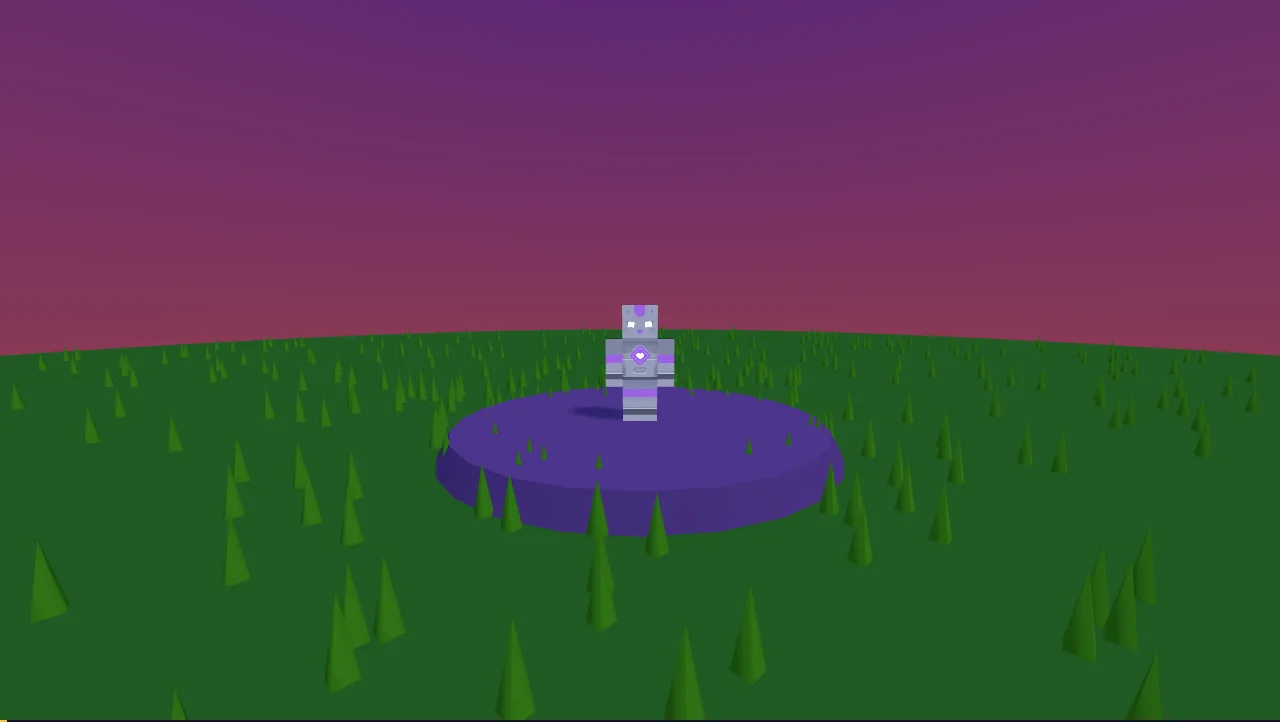
The three pitfalls when wiring models in
- External textures — a lot of models reference their textures as separate files in a neighbouring folder. Copy only the
.glband you get a 404 and a bright white model. The textures have to ship with it. - Loader versions — your
GLTFLoaderand friends have to match your engine version or they throw. - Auto-normalise the scale — models come in wildly different sizes. Have the AI scale by bounding box to a target size instead of hand-tuning each one.
// Scale any model to a target size from its bounding box — no hand-tuning
function fitModel(obj, target, byHeight) {
  const box = new THREE.Box3().setFromObject(obj);
  const s = new THREE.Vector3(); box.getSize(s);
  const scale = byHeight ? target / s.y
                         : target / Math.max(s.x, s.y, s.z);
  obj.scale.setScalar(scale);
}
Never let it "just fix it" — make it locate the cause, verifiably
This is the dividing line for how fast you move. Two real examples from this game:
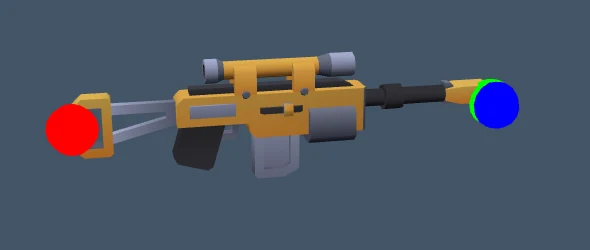
"The gun is on backwards." Do not let it guess the orientation. Have it render the weapon model on its own and put a red/green/blue ball on the end of each axis. One look tells you which axis the muzzle points down, and then the rotation is obvious rather than a coin flip.
Headless verification: let it play the game for you
"The camera occasionally snaps somewhere random." Have it find the anomalous data behind that one frame — in this case, mouse delta values that occasionally spiked enormously. A threshold filter fixed it.
The heavy weapon is headless verification: have the AI factor the render loop into a "step one frame" function, then drive the game forward with fake timesteps and take screenshots. Now it can simulate a whole match, capture frames and assert on state without waiting for you to play it by hand.
Your job in all of this is to make your feedback locatable: which action, what happened, and ideally a screenshot.
In one lineNever fix it blind. Find the root cause in a way you can verify, then change the code.
The prompts I used
I need [character / weapon / texture / sound] assets in a [blocky low-poly / pixel / realistic]
style, for a commercial game I intend to publish. Search the web and find me 3-5 sources:
1) The licence must be CC0 or explicitly free for commercial use — state the licence for each;
2) Style match, and a file size that suits a web game;
3) Give me download links, and tell me what to watch out for when wiring them into my
   engine (three.js) — external textures, formats, and so on.
Research and licence confirmation only for now — do not download or write code yet.
The MVP works. Now replace the placeholder boxes with CC0 assets:
Kenney Blocky Characters for the characters, Kenney Blaster Kit for the weapons (both CC0).
Watch out for: external textures must ship with the model (otherwise it renders white),
loader version must match the engine, and use the bounding box to auto-scale models to a
consistent size.
If loading fails or the orientation is wrong, locate it in a verifiable way — print the
resolved paths, render the model on its own with markers on the axis ends — do not guess.
From now on, for any problem: do not change the code first.
Locate the root cause in a verifiable way (logging / isolated render / visual markers /
factoring the logic into a step-by-step function for headless simulation), tell me your
conclusion and the evidence for it, and then make the change.
My reports to you will include: which action I took, what happened, and a screenshot.
The game I built
This is what came out the other end of all of it. It opens in the browser, nothing to download — go and break it.

